
 All vikis
Split Screen
Modern Warfare 4 has split screen for two players in Multiplayer on PS5 and Xbox Series X|S only, Activision Support says; PC and Nintendo Switch 2 have none, the campaign is single player, and it needs an internet connection even in Private Matches. The Season 1 patch notes of Nov 5, 2026 fixed three split screen bugs, though the PlayStation Store still labels the game "1 player".
Yes, Call of Duty: Modern Warfare 4 has split screen, for two players, in Multiplayer, on PS5 and Xbox Series X|S only: "Split-screen multiplayer gameplay (two players sharing a screen) for Call of Duty: Modern Warfare 4 will be available on XBOX Series X|S and PlayStation 5," says Activision Support (dated Oct 13, 2026; read Nov 13, 2026). It does not work offline. The same page says the game streams its textures in every mode, so "you'll need a continuous internet connection to play Multiplayer (including in Private Matches) and DMZ".
Next: what else differs between the four platforms, the multiplayer modes you can load into together or the 2v2 mode built for a pair.
Where it works and where it does not
| Platform or mode | Split screen | Source |
|---|---|---|
| PS5 | Two players, Multiplayer | Activision Support |
| Xbox Series X and Series S | Two players, Multiplayer | Activision Support |
| PC (Steam, Battle.net, Xbox app) | None listed | Activision Support names consoles only; Steam lists Single-player, Online PvP, Online Co-op and Cross-Platform Multiplayer, with no shared or split screen entry (read Nov 13, 2026) |
| Nintendo Switch 2 | None listed | Activision Support names PS5 and Xbox only |
| Campaign | No | Activision's answer covers "multiplayer gameplay"; Steam lists the game's co-op as online |
| DMZ | Not stated by Activision | See below |
Proof it shipped
Activision's answer is written in the future tense and predates the launch, so the better evidence is in Infinity Ward's Season 1 patch notes of Nov 5, 2026 (read Nov 13), which fix three split screen faults by name:
- "Fixed some stability issues in split screen."
- "Fixed an issue where the second player in Splitscreen would be unable to access the View Maps tab."
- "Fixed a crash that could occur when the second player in Splitscreen attempted to generate a weapon using Gunny."
Those lines tell you two things the support page does not: the mode is live and being maintained two weeks after launch, and the second player has their own menus, down to the map list and Gunny.
One official listing says otherwise. The PlayStation Store page, read on Nov 13, 2026, tags the game "1 player" beside "Supports up to 60 online players with PS Plus". We think the tag is simply wrong or counts only offline play, since the publisher's support page and the developer's patch notes both describe a second local player on PS5.
Setting it up, as one guide gives it
Activision publishes no steps. The only walkthrough we found from an established outlet is by Daniel González for Vandal (Oct 21, 2026, in Spanish), and it cites no source of its own, so treat the details as that guide's:
- Each player needs an Activision account of their own, and the console needs to be online.
- Start the game and enter a mode's lobby.
- Turn on the second controller and sign it in to its own console profile.
- The second player presses X on PS5 or A on Xbox to join the lobby; the match then loads split in two.
Vandal adds that to play against real opponents both accounts need PS Plus or Xbox Game Pass, and that the limit is two: "la pantalla dividida solo admite un máximo de 2 jugadores en local". It also says DMZ works in split screen. Activision's sentence says "multiplayer gameplay" and nothing about DMZ, and none of the three patch-note fixes mentions it, so we count split screen in DMZ as unconfirmed.
A second walkthrough, WebPro Education's video of Oct 26, 2026, shows the Multiplayer playlist with a second player signed in. It names Front Line, Domination, Team Deathmatch, Search and Destroy and Hijack as modes that take split screen, and says a mode with "a hazard icon next to it", Kill Block in its example, "will not support split screen mode".
Moe Gaming's PS5 video of Oct 24, 2026 adds the order of steps: connect the second controller on the game's main screen rather than in a lobby, press the PlayStation button, sign in to the second PSN account and accept the legal documents, and the two players then show at the top right, still there when he opens Multiplayer. Kill Block refuses them with a message that it does not allow split screen, while Front Line starts connecting, and he reads the modes without an exclamation mark as the ones that take two players.
What you give up
Our reading of the limits above: there is no four-player screen, PC and Switch 2 owners cannot add a second local player at all, and a dropped connection ends a local match as surely as an online one, because even a Private Match with two people in one room needs the servers. Activision has announced no co-op for the 16 campaign missions (Campaign Walkthrough), so two people who want the story together take turns.
Sources
- Call of Duty: Modern Warfare 4 Editions, Activision Support, Oct 13, 2026 (read Nov 13, 2026): the split screen and internet answers
- Call of Duty: Modern Warfare 4 Season 1 Patch Notes, Infinity Ward, Nov 5, 2026 (read Nov 13, 2026): the three fixes
- Call of Duty: Modern Warfare 4, PlayStation Store (read Nov 13, 2026): the "1 player" tag
- Call of Duty: Modern Warfare 4 on Steam, Steam (read Nov 13, 2026)
- CoD Modern Warfare 4: ¿Tiene pantalla dividida en cooperativo local?, Vandal, Oct 21, 2026 (read Nov 13, 2026)
- How To Play Call Of Duty Modern Warfare 4 In Split Screen Mode, WebPro Education, Oct 26, 2026 (video)
- How To Play Split Screen Modern Warfare 4, Moe Gaming, Oct 24, 2026 (video)
Moments
How To Play Call Of Duty Modern Warfare 4 In Split Screen Mode
WebPro Education
How To Play Split Screen Modern Warfare 4
Moe Gaming
Related
-
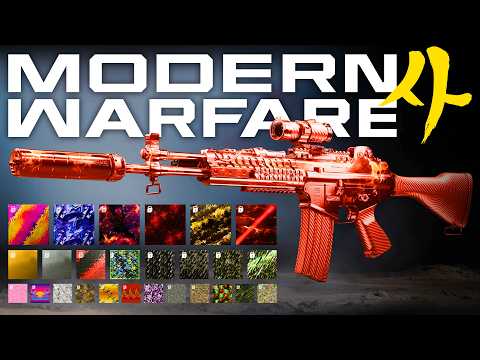 Early AccessModern Warfare 4's Campaign Early Access began on Oct 16, 2026 and its DMZ Early Access on Oct 20, 2026, for everyone who digitally pre-ordered the Standard or Vault Edition on Xbox, PlayStation 5, Battle.net, Steam or Nintendo Switch 2. Both ended at the full launch on Oct 23, and the progress made in them carried over.
-
-
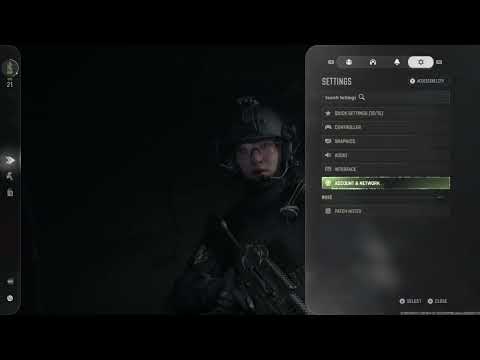 How to Turn Off Cross-playTo turn off cross-play in Modern Warfare 4 on a console, open Settings, go to the last tab, Account & Network, and set Crossplay to Off or Console Only; PC players have no such option. Dexerto says this works on PS5, Xbox and Switch 2, while TheGamer sends Xbox players to the console's own privacy settings instead.
-
 Nintendo Switch 2 VersionCall of Duty: Modern Warfare 4 on Nintendo Switch 2 is the full game (Campaign, Multiplayer and DMZ) with cross-play and cross-progression, gyro and Joy-Con 2 mouse controls, and NVIDIA DLSS. Multiplayer targeted 60 fps in the beta, reviews of the final game scored it 90, and the physical edition is a code in a box.
-
 PC Requirements and Install SizeCall of Duty: Modern Warfare 4 needs at least a Ryzen 5 1400 or Core i5-6600, 8 GB of RAM and a GTX 970, GTX 1060, RX 470 or Arc A580 on Windows 10, plus TPM 2.0, Secure Boot and 115 GB on an SSD. The recommended spec (Ryzen 5 3600 or Core i7-8700K, 16 GB, RTX 3060 Ti) targets 90 fps on High; console downloads run from about 77 GB on Switch 2 to about 194 GB on Xbox.
-
 Release Date and Launch TimesCall of Duty: Modern Warfare 4 released worldwide on Oct 23, 2026, unlocking at midnight local time on PS5, Xbox Series X|S, PC and Nintendo Switch 2. Digital pre-orders could play the campaign from Oct 16 and DMZ from Oct 20, and Season 1 starts on Nov 6, 2026.
-
 Campaign ChoicesModern Warfare 4's campaign asks you to choose at eight points in four missions (Mayhem, Following Orders, Hired Gun and Stranded). By our count of Game Rant's list, five decide whether someone dies, two of those can end the mission, and none changes the ending. On YOLO, the wrong answer to Graves restarts the whole campaign.
-
 Campaign Rewards and DifficultyEach of Modern Warfare 4's 16 missions gives one reward for Multiplayer and DMZ: 8 Base Operators, 3 Double XP Tokens, 2 Double Weapon XP Tokens, a Calling Card, a Loading Screen and an Emblem. Rewards are the same on any of the six difficulties (Recruit, Regular, Hardened, Veteran, Realism, YOLO); only beating YOLO adds the "YOLO Completer" Calling Card.
See also
-
 Platforms and Cross-playCall of Duty: Modern Warfare 4 is on PS5, Xbox Series X|S, PC (Steam, Battle.net and Xbox on PC) and Nintendo Switch 2, with cross-play and cross-progression across all of them through an Activision account. It is not on PS4 or Xbox One, and it is not on Game Pass until Holiday 2027 at the earliest.
-
 Game ModesCall of Duty: Modern Warfare 4 launched with over a dozen multiplayer modes, including the new Inflation, Hijack, Collateral and Ground War: Combat Outpost, eight of them with Hardcore versions. Possession and Infected joined the playlist for Halloween on Oct 29 and Oct 30, 2026.
-
 GunfightGunfight in Modern Warfare 4 is a round-based mode where small teams share one loadout that changes every two rounds; rounds last 50 seconds and the first team to 6 wins. It runs 2v2 on Cafe, Library, NYC and Smuggler, and 3v3 and 10v10 on Kill Block.
-
-
 120 FPS on PS5 and XboxSince the Season 1 update of Nov 5, 2026, Modern Warfare 4's Performance Mode (120Hz) works on any PS5 or Xbox Series X|S with a 120Hz display, with or without VRR. From Oct 20 to that day Campaign and DMZ were locked to 60Hz without VRR. Digital Foundry measured a steady 120 fps in multiplayer but averages of 77 to 104 fps in the campaign.
-
Anti-Cheat, TPM 2.0 and Secure BootCall of Duty: Modern Warfare 4 on PC requires TPM 2.0 and Secure Boot to be enabled; without them you cannot play any online mode. Run Activision's Secure Attestation Wizard to check, then turn on Intel PTT or AMD fTPM and Secure Boot in your UEFI/BIOS. Both feed RICOCHET Anti-Cheat, which also uses Server Culling against wallhacks.