
 All vikis
How to Turn Off Cross-play
To turn off cross-play in Modern Warfare 4 on a console, open Settings, go to the last tab, Account & Network, and set Crossplay to Off or Console Only; PC players have no such option. Dexerto says this works on PS5, Xbox and Switch 2, while TheGamer sends Xbox players to the console's own privacy settings instead.
To turn off cross-play in Call of Duty: Modern Warfare 4, open the settings menu, move to the last tab, "Account & Network", and change Crossplay under Online from On to Off, or to Console Only to keep other consoles and drop PC; this exists on consoles only, and "PC doesn't offer that option" (Dexerto, Oct 21, 2026; read Nov 13, 2026). Activision has published no page on the setting, so the steps below rest on two outlets' guides, which agree on PS5 and PC and differ on Xbox.
Next: which platforms share lobbies and progress, the mode two of the three toggles are waiting for or the rest of the settings worth changing on day one.
The steps
- Open the settings menu (Dexerto: the "icon with three horizontal lines").
- Go to the final tab, Account & Network.
- Under Online, find the Crossplay settings. Dexerto lists three: Multiplayer Unranked, Multiplayer Ranked and Warzone Ranked.
- Set each one you care about. On PlayStation, Xbox and Nintendo Switch 2 the choices are On, Off and Console Only, the last of which "will block PC players from entering your lobbies".
TheGamer (Allyson Cochran, Oct 28, 2026; read Nov 13) gives the same PS5 route in fewer words: "Open Settings in Modern Warfare 4, navigate to Account & Network, and look for the crossplay option."
Xbox: two different answers
| Platform | Dexerto, Oct 21, 2026 | TheGamer, Oct 28, 2026 |
|---|---|---|
| PS5 | In-game: Account & Network, On, Off or Console Only | In-game: Account & Network |
| Xbox Series X and S | In-game, same three choices | Console settings, not the game |
| Switch 2 | In-game, same three choices | No path given |
| PC | Cannot be turned off | "PC players cannot turn off crossplay. It is on by default." |
TheGamer's Xbox route runs through the console: Settings, Online Safety & Family, Privacy & Online Safety, Xbox Privacy, View Details & Customize, Communication & Multiplayer, and there "the cross-network play setting". Neither outlet shows the menu on screen, and Dexerto's page went up two days before the Oct 23 launch. We think both can be true (an in-game switch for the game, a console switch that blocks cross-network play for every game), and that an Xbox player should try the in-game tab first because it is the only place Console Only is offered. If the option is missing there, TheGamer's path is the fallback.
One video does show the in-game menu on an Xbox, though it dates from the August 2026 beta (uploaded Aug 29, 2026 by the Call of Duty How to channel), so the launch menu may differ: the menu button, the right bumper across to Settings, then Account & Network, where Multiplayer Unranked Crossplay sits at the top. Its description on the right says Console Only allows matchmaking with other console platforms in Multiplayer unranked playlists, and a ranked toggle sits further down. That supports Dexerto's in-game route for Xbox.
What the three toggles cover today
The list is narrower than the game. Our reading of Dexerto's three names against what is live on Nov 13, 2026:
- Multiplayer Unranked is every public playlist you can queue for now, so it is the one that matters.
- Multiplayer Ranked has nothing to govern yet. Infinity Ward has said Ranked comes in Season 2 (Ranked Play), so setting it now only saves a step later.
- Warzone Ranked covers Warzone's ranked playlists only; no unranked Warzone toggle is on the list.
- DMZ is not on the list at all. Neither guide says whether the Multiplayer Unranked choice also applies there, and we have not found an official statement either way.
Whatever you choose, signing in stays the same: "To support crossplay and cross-progression", the game "requires all players to log in to an Activision account when playing online", Activision Support says (read Nov 13, 2026), and your progress follows that account whether cross-play is on or off.
Off or Console Only?
We think Console Only is the better choice for almost everyone who came here because of PC lobbies. It removes the "different input methods" and "potential PC cheaters" Dexerto names as the usual reasons, while keeping three consoles' worth of players to match with. Off cuts you down to your own hardware, which is a large pool on PS5 and a small one on Switch 2, the newest of the four versions; in the clip Nintendo Life's Oct 23, 2026 review counts cross-play as part of what makes the Switch 2 edition "the entire package". A Switch 2 owner who turns it fully off is giving up the feature the port was sold on.
By the setting's own logic a friend on an excluded platform cannot be matched into your lobby, so switch it back on before inviting across systems.
Sources
- How to turn off crossplay in Call of Duty: Modern Warfare 4, Dexerto, Oct 21, 2026 (read Nov 13, 2026)
- How To Play With Friends In Call Of Duty: Modern Warfare 4, TheGamer, Oct 28, 2026 (read Nov 13, 2026)
- Call of Duty: Modern Warfare 4 In-Game Account Registration, Activision Support (read Nov 13, 2026)
- Call of Duty: Modern Warfare 4 Switch 2 Review - Is It All Here?, Nintendo Life, Oct 23, 2026 (video)
- How to Turn Off Crossplay in Modern Warfare 4 (How to Turn On Console Only Cross Play in MW4), Call of Duty How to, Aug 29, 2026 (video)
Moments
How to Turn Off Crossplay in Modern Warfare 4 (How to Turn On Console Only Cross Play in MW4)
Call of Duty How to
Call of Duty: Modern Warfare 4 Switch 2 Review - Is It All Here?
Nintendo Life
Related
-
-
 Nintendo Switch 2 VersionCall of Duty: Modern Warfare 4 on Nintendo Switch 2 is the full game (Campaign, Multiplayer and DMZ) with cross-play and cross-progression, gyro and Joy-Con 2 mouse controls, and NVIDIA DLSS. Multiplayer targeted 60 fps in the beta, reviews of the final game scored it 90, and the physical edition is a code in a box.
-
 PC Requirements and Install SizeCall of Duty: Modern Warfare 4 needs at least a Ryzen 5 1400 or Core i5-6600, 8 GB of RAM and a GTX 970, GTX 1060, RX 470 or Arc A580 on Windows 10, plus TPM 2.0, Secure Boot and 115 GB on an SSD. The recommended spec (Ryzen 5 3600 or Core i7-8700K, 16 GB, RTX 3060 Ti) targets 90 fps on High; console downloads run from about 77 GB on Switch 2 to about 194 GB on Xbox.
-
 Release Date and Launch TimesCall of Duty: Modern Warfare 4 released worldwide on Oct 23, 2026, unlocking at midnight local time on PS5, Xbox Series X|S, PC and Nintendo Switch 2. Digital pre-orders could play the campaign from Oct 16 and DMZ from Oct 20, and Season 1 starts on Nov 6, 2026.
-
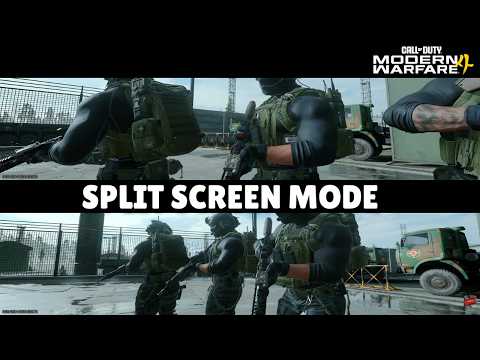 Split ScreenModern Warfare 4 has split screen for two players in Multiplayer on PS5 and Xbox Series X|S only, Activision Support says; PC and Nintendo Switch 2 have none, the campaign is single player, and it needs an internet connection even in Private Matches. The Season 1 patch notes of Nov 5, 2026 fixed three split screen bugs, though the PlayStation Store still labels the game "1 player".
-
 Campaign ChoicesModern Warfare 4's campaign asks you to choose at eight points in four missions (Mayhem, Following Orders, Hired Gun and Stranded). By our count of Game Rant's list, five decide whether someone dies, two of those can end the mission, and none changes the ending. On YOLO, the wrong answer to Graves restarts the whole campaign.
-
 Campaign Rewards and DifficultyEach of Modern Warfare 4's 16 missions gives one reward for Multiplayer and DMZ: 8 Base Operators, 3 Double XP Tokens, 2 Double Weapon XP Tokens, a Calling Card, a Loading Screen and an Emblem. Rewards are the same on any of the six difficulties (Recruit, Regular, Hardened, Veteran, Realism, YOLO); only beating YOLO adds the "YOLO Completer" Calling Card.
-
See also
-
 Platforms and Cross-playCall of Duty: Modern Warfare 4 is on PS5, Xbox Series X|S, PC (Steam, Battle.net and Xbox on PC) and Nintendo Switch 2, with cross-play and cross-progression across all of them through an Activision account. It is not on PS4 or Xbox One, and it is not on Game Pass until Holiday 2027 at the earliest.
-
 Ranked PlayModern Warfare 4 has no Ranked Play yet; Infinity Ward said in its Nov 10, 2026 Weekly Update that Ranked for Multiplayer and Warzone is coming in Season 2, with no date or rules given. Black Ops 7's rules (50 wins to unlock, Bronze to Iridescent, Hardpoint, Control and Search & Destroy) show what it may look like.
-
 Best SettingsThe settings guides agree on the core of a Modern Warfare 4 setup: a field of view around 105, motion blur and depth of field off, NVIDIA Reflex on with Boost and V-Sync off on PC, Target Aim Assist on with the Dynamic response curve and vibration off on controller, and a Headphones audio mix. Sensitivity and deadzones are personal; start near 1.2 to 1.7.
-
120 FPS on PS5 and XboxSince the Season 1 update of Nov 5, 2026, Modern Warfare 4's Performance Mode (120Hz) works on any PS5 or Xbox Series X|S with a 120Hz display, with or without VRR. From Oct 20 to that day Campaign and DMZ were locked to 60Hz without VRR. Digital Foundry measured a steady 120 fps in multiplayer but averages of 77 to 104 fps in the campaign.
-
Anti-Cheat, TPM 2.0 and Secure BootCall of Duty: Modern Warfare 4 on PC requires TPM 2.0 and Secure Boot to be enabled; without them you cannot play any online mode. Run Activision's Secure Attestation Wizard to check, then turn on Intel PTT or AMD fTPM and Secure Boot in your UEFI/BIOS. Both feed RICOCHET Anti-Cheat, which also uses Server Culling against wallhacks.
-
 Early AccessModern Warfare 4's Campaign Early Access began on Oct 16, 2026 and its DMZ Early Access on Oct 20, 2026, for everyone who digitally pre-ordered the Standard or Vault Edition on Xbox, PlayStation 5, Battle.net, Steam or Nintendo Switch 2. Both ended at the full launch on Oct 23, and the progress made in them carried over.